
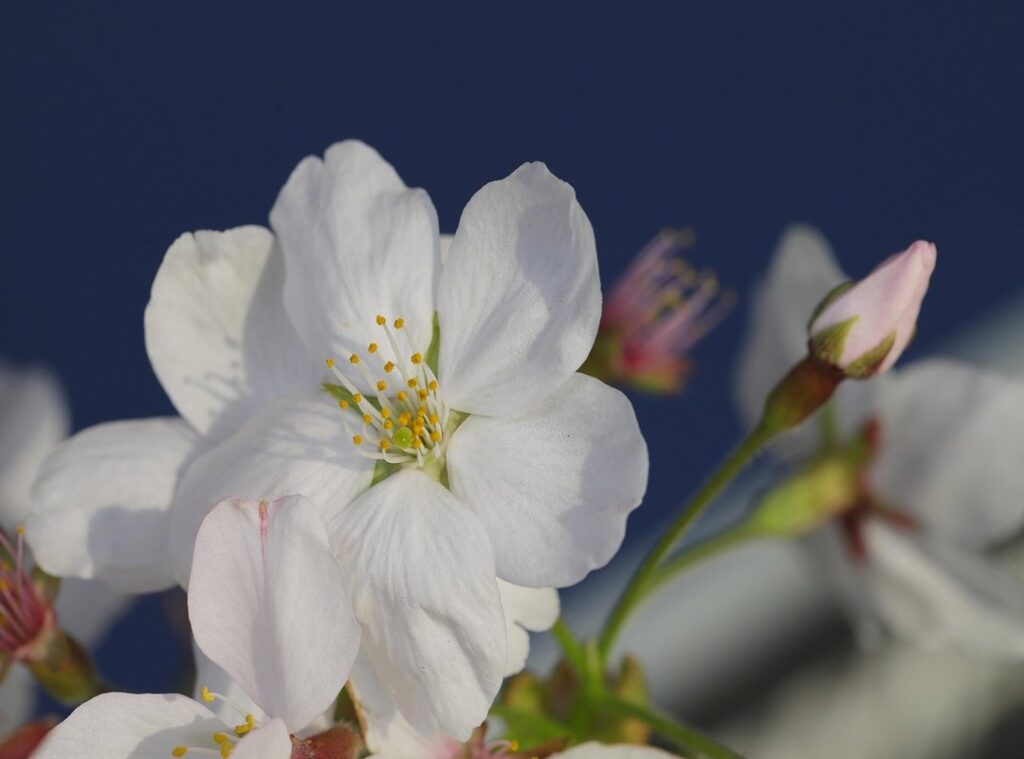
You’re here because you want to create some gambar sakura school simulator cute. I get it. It’s not just about finding cute images; it’s about making your own unique and charming scenes.
That’s exactly what this guide is for.
I’m going to show you how to do it, step by step. From character design to finding the perfect photo spots in the game, we’ll cover it all.
Anyone can create amazing gambar sakura school simulator cute with a few simple tricks and a bit of creativity. Trust me, it’s easier than you think.
By the end, you’ll be capturing moments that are perfect for sharing with friends or on social media. Let’s dive in.
What Are the Key Ingredients for a ‘Cute’ In-Game Photo?
Creating a cute in-game photo in Sakura School Simulator is all about the details. First, let’s talk character customization. You want to pick outfits and accessories that scream “cute.” Think pastel-colored uniforms, cozy sweaters, and fun accessories like ribbons or cat ears.
The Pose Mode is crucial. It lets you choose gestures that convey cuteness. Shy glances, happy waves, or sitting poses can make your character look adorable.
Environment matters too. Soft, natural lighting during the in-game daytime makes scenes much cuter than harsh or nighttime lighting. The right light can transform a simple scene into something magical.
Props add that extra touch. Holding a teddy bear, eating a piece of cake from the cafe, or interacting with the in-game cats can make your photo even more charming.
Remember, it’s all about the little things. A gambar sakura school simulator cute is made by combining these elements thoughtfully.
Your Step-by-Step Guide to Taking the Perfect Cute Picture
Taking a cute picture in your favorite game can be a fun and rewarding experience. Here’s a step-by-step guide to help you get that perfect shot.
Step 1: Character Setup
First things first, head to the character customization screen. Pick a cute outfit and hairstyle that fits the vibe you’re going for. This is your chance to make your character look as adorable as possible.
Step 2: Choosing Your Location
Next, choose a location that complements your character. Think about places like a cafe or an amusement park. These spots often have a lot of visual interest and can add to the cuteness factor.
Step 3: Posing Your Character
Once you’re at your chosen spot, open the ‘Pose Mode.’ Scroll through the available animations to find one that captures the right mood. If you’re doing a group shot, position other characters or NPCs around your main character for a more dynamic photo.
Step 4: Camera Angles and Framing
Now, it’s time to play with the camera. Use the in-game camera controls to find a flattering angle. Try a low angle looking up for a playful feel, or a close-up on your character’s expression for a more intimate shot.
Step 5: Capturing the Shot
Finally, hide the user interface (UI) buttons before taking your screenshot. This will give you a clean, cinematic look. Make sure everything is just right before you hit that capture button.
Pro tip: Experiment with different times of day in the game. The lighting can really change the mood of your gambar sakura school simulator cute.
Follow these steps, and you’ll be well on your way to creating some truly adorable and memorable pictures. Happy snapping!
Top 5 Can’t-Miss Locations for Adorable Photoshoots
When it comes to taking adorable photos, everyone has their go-to spots. But let’s be real, some of these places are overhyped. Here’s a fresh take on where you can snap those perfect pics. gambar sakura school simulator cute
-
The Cake Shop/Cafe
The cozy interior and cute food items make for a charming backdrop. Don’t forget the outdoor seating for that perfect ‘date’ or hangout scene. It’s not just about the food; it’s about the vibe. -
The Amusement Park
Sure, the Ferris wheel at sunset is a classic. But have you tried the merry-go-round? It’s dynamic, colorful, and adds a playful touch to your photos.Plus, the lights at night create a magical atmosphere.
-
The Shrine
Traditional architecture and cherry blossom trees (if available) make for beautiful, peaceful pictures. The serene atmosphere here is a stark contrast to the usual hustle and bustle. It’s a place where you can truly capture a moment of calm. -
The Beach
Everyone talks about the beach, but timing is everything. Go during the ‘golden hour’—sunrise or sunset—for soft lighting and a romantic feel. The natural light will do wonders for your photos. -
The Flower Fields near the Farm
Vibrant colors and natural beauty make this spot perfect for carefree and joyful-looking photos. It’s a bit off the beaten path, but trust me, it’s worth it. The gambar sakura school simulator cute here is just stunning.
So, next time you’re planning a photoshoot, think outside the box. These spots offer more than just pretty backdrops; they give you a chance to tell a story.
Pro Tips to Make Your Sakura Simulator Pictures Stand Out
Got the basics down, and great. Now, let’s take your gambar sakura school simulator cute to the next level.
Use the ‘Follow Me’ command on NPCs. It’s a game-changer for dynamic group photos with friends or love interests. Trust me, it adds a whole new dimension.
Ever thought about using props in creative ways? Place a cushion on a bench before using a sitting pose. It makes the scene look more natural and cozy.
Post-production can make a huge difference. Try a simple, free mobile app to add a soft filter, cute stickers, or slightly increase the color saturation. It’s like giving your pictures a professional touch without the hassle.
Here’s a secret: use the Jetpack to find unique, high-angle shots. Most players won’t think to capture these bird’s-eye views, so you’ll stand out with a fresh perspective.
These tips will help you create standout pictures that are sure to impress.
Start Creating and Sharing Your Own Cute Moments
Creating cute photos is a blend of character design, posing, location, and camera work. Now that you have all the tools and knowledge, there’s no need to keep searching for pictures. You can start making your own.
Try out different locations and tips from the article to see what works best for you.
gambar sakura school simulator cute
Now go launch the game, set up your first photoshoot, and share your adorable creations with the world!
 As the primary competitive analyst and strategist, Zaythe Kintarrow focuses on the nuances of high-stakes play and fighting game mechanics. Zaythe is dedicated to breaking down the latest trends in the esports scene, offering masterclasses on strategic positioning and frame-perfect execution. Through comprehensive guides and real-time trend reporting, Zaythe empowers players to refine their skills and adopt the advanced tactics necessary to dominate in a multiplayer environment.